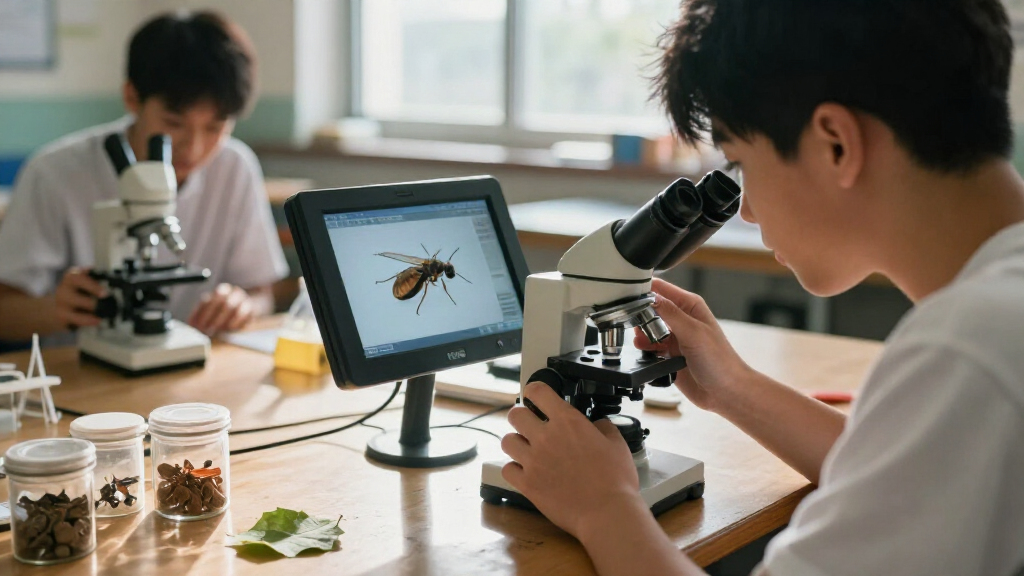
For students who need a microscope they can share, document with, and use without crowding an eyepiece, I’d start with the TOMLOV DM301 Pro: its 7-inch display, app sharing, and TV or projector connections suit group demonstrations. The PalliPartners 4.3-inch model is the more portable choice, with a longer stated battery runtime, while the Woehrsh trinocular is the closest fit for students who need conventional compound-microscope viewing and a broad set of lab accessories. These models do not serve the same kind of classwork: the first, third, fourth, and fifth present a live image on a screen, while Woehrsh is an eyepiece-based compound microscope with an electronic camera connection.

Prime made for students and young adults
- Fast, free delivery for dorm and study essentials
- Prime Video and Amazon Music included
- Member-only deals
My ranking favors practical student use: clear, comfortable viewing; manageable setup; useful documentation; and a fit for the age and work involved. The tradeoffs matter just as much. A screen-based instrument is approachable for groups but may not offer the same specimen handling or viewing method as a lab compound microscope. Listed magnification can also be a poor guide to what a student will actually see, and some supplied specifications leave questions about camera resolution or compatibility. I explain those differences below so you can choose by classroom task rather than by the largest number on the box.
Key Takeaways
- The TOMLOV DM301 Pro is my strongest all-around classroom pick because its 7-inch screen and TV, computer, and projector connections make shared viewing easier than on the smaller-screen models.
- The Woehrsh is the lineup’s compound-microscope option, but its listed 240 V supply and unspecified USB camera details call for a compatibility check before school use.
- PalliPartners is the portable screen microscope to shortlist for longer outings: its stated 4–5-hour runtime exceeds the DM301 Pro’s up-to-three-hour figure, though its camera-resolution claims conflict.
- HEWEIMEI offers desktop, handheld, and portable modes for younger learners, but its built-in, non-removable battery may be less convenient for long or shared sessions.
- TOMLOV DM9 suits inspection and documentation of coins or components; its 8.5-inch stand height and computer-dependent larger view make it less flexible for class-wide demonstrations than the DM301 Pro.
| TOMLOV DM301 Pro Digital Microscope with 7-Inch Screen |  | Best Overall for Shared Student Viewing | Display: 7-inch IPS screen | Maximum magnification: 1200X | Capture: 8MP photos; 1080p video | VIEW LATEST PRICE | See Our Full Breakdown |
| Woehrsh Trinocular Compound Microscope with LED Illumination and USB Camera |  | Best for Traditional Lab-Style Study | Microscope type: Trinocular compound | Listed magnification range: 40x–5000x | Eyepieces: 2 WF10x and 2 WF25x | VIEW LATEST PRICE | See Our Full Breakdown |
| PalliPartners Digital Microscope with 4.3-Inch HD Screen |  | Best Portable Pick for Field Activities | Screen: 4.3-inch LCD | Magnification: 50×–1000× | Resolution listing: 1080p / 720p; camera claims vary between 2.0MP and 10MP | VIEW LATEST PRICE | See Our Full Breakdown |
| HEWEIMEI 1600x Digital Microscope for Kids with 4-Inch Screen |  | Best for Younger Learners Who Need Flexible Modes | Screen: 4-inch IPS | Magnification: 100x–1600x | Camera: Built-in 48MP camera; 1080p photos and videos listed | VIEW LATEST PRICE | See Our Full Breakdown |
| TOMLOV DM9 7-Inch Digital Coin Microscope, 1200X |  | Best for Coins, Components, and Close Inspection | Screen: 7-inch LCD | Maximum magnification: 1200X | Camera: 12MP photos; 1080p video | VIEW LATEST PRICE | See Our Full Breakdown |
| digital microscopes for student | Lighting | Battery | Screen |
|---|---|---|---|
| TOMLOV DM301 Pro Digital Micro | Adjustable dual top and bottom LEDs | Up to 3 hours | — |
| Woehrsh Trinocular Compound Mi | — | — | — |
| PalliPartners Digital Microsco | 8 adjustable LEDs | Rechargeable; 4–5 hours stated | 4.3-inch LCD |
| HEWEIMEI 1600x Digital Microsc | 6 LEDs with 3 brightness settings | Built-in, non-removable lithium polymer pouch cell | 4-inch IPS |
| TOMLOV DM9 7-Inch Digital Coin | 8 built-in LEDs and 2 flexible gooseneck lights | — | 7-inch LCD |
More Details on Our Top Picks
TOMLOV DM301 Pro Digital Microscope with 7-Inch Screen
The DM301 Pro earns my top spot because it balances a student-friendly screen with several ways to share what is on it. Its 7-inch IPS display is larger than the PalliPartners and HEWEIMEI screens, which can make a practical difference when two students are observing together or a teacher is guiding a group. Unlike the DM9, it also lists Wi-Fi app support and USB and HD output, giving a class more routes to view or share material on compatible devices and larger displays.
That flexibility suits projects where students need to record observations, compare samples, or present a finding. The camera captures 8MP photos and 1080p video, and the included slides, microSD card, and carrying case help a learner get started without assembling a separate kit. Its adjustable upper and lower LED lights give students a way to change illumination for different objects, while the measurement overlay may help them discuss apparent size. I would treat that overlay as a learning aid, not assume it replaces a calibrated measurement method.
The main tradeoff is that the listed up-to-three-hour battery life is shorter than PalliPartners’ stated four to five hours. Wireless sharing also depends on a compatible iOS or Android device, so a school that restricts apps may rely more on the wired outputs. Compared with the DM9, this model is a better fit for group sharing; compared with the Woehrsh, it offers a more direct screen-first experience but not the same listed compound-microscope configuration. Its 1200X maximum should not be the reason to choose it: student results depend on the sample, focus, lighting, and the practical view available.
I’d choose it for a home STEM station or classroom where students benefit from a shared display and recorded work. I would skip it if the priority is a traditional compound microscope for detailed slide-based lab study, if a lesson routinely runs longer than its stated battery window without charging, or if app compatibility is a problem.
Pros:- Large 7-inch IPS display is easier to share than the smaller screens in this lineup.
- Captures 8MP photos and 1080p video, with app, USB, and HD output options.
- Adjustable top and bottom LEDs and an on-screen measurement overlay support varied demonstrations.
- Includes prepared and blank slides, a microSD card, and a carrying case.
Cons:- Listed battery life is up to three hours, shorter than PalliPartners’ stated runtime.
- Wireless app features require a compatible iOS or Android device.
- A 1200X maximum does not by itself establish suitability for detailed laboratory slide work.
Best for: Students and teachers who want a screen-first microscope for shared classroom viewing, STEM projects, and photo or video documentation.
Not ideal for: Students who need a traditional compound microscope for formal slide work, or classes that need longer battery sessions and cannot recharge between activities.
- Display:7-inch IPS screen
- Maximum magnification:1200X
- Capture:8MP photos; 1080p video
- Connections:Wi-Fi app support; USB and HD output
- App compatibility:iOS and Android
- Lighting:Adjustable dual top and bottom LEDs
- Battery:Up to 3 hours
- Included learning items:5 prepared slides and 5 blank slides
Our verdict“I’d pick the DM301 Pro for the best balance of shared viewing, documentation, and classroom connections, provided its battery and app requirements fit the lesson.”
Woehrsh Trinocular Compound Microscope with LED Illumination and USB Camera
Woehrsh is the specialist in this group: it is a trinocular compound microscope with eyepieces, achromatic objectives, a mechanical stage, and coaxial coarse and fine focus. That makes it a more natural candidate for structured slide-based work than the screen-first TOMLOV or portable PalliPartners models. Its wide-angle eyepieces and swivel head support conventional observation, while the mechanical stage is intended to help position a slide with more control than simply holding a sample beneath a camera.
The kit’s extensive list of lab accessories may appeal to a classroom that already has a plan for specimen preparation. Slides, coverslips, prepared specimens, droppers, tweezers, Petri dishes, and other tools can support varied activities. The LED illumination and fine-focus control give students ways to adjust a view, and the listed magnification range is broad. I would not treat the 5000X maximum as evidence that every sample will show meaningful additional detail at that setting; technique, optics, sample preparation, and illumination still shape what can be observed.
This model’s strengths come with a different learning curve. Students who want an immediately visible image for a group may find the DM301 Pro’s built-in display and external output more straightforward. Woehrsh lists an electronic eyepiece, but the available description does not give its resolution or software compatibility, so I would not choose it specifically for digital capture until those details are confirmed. The stated 240 V voltage is another purchase check, especially for schools or homes with different electrical supplies.
I rank it second because it fills a distinct educational need, but its setup and unclear digital-camera details make it less universally convenient than the DM301 Pro. It is best for older students, teachers, or school labs seeking conventional compound observation and a substantial accessory kit. A younger beginner who mainly wants to inspect everyday objects and show friends a live image may be happier with a screen-based option.
Pros:- Compound trinocular format with eyepieces, achromatic objectives, and a mechanical stage.
- Coaxial coarse and fine focus supports more controlled slide focusing.
- LED illumination and a wide collection of specimen-preparation accessories.
- Swivel head and multiple eyepiece options suit structured lab observation.
Cons:- Listed 240 V supply may not suit every school or household electrical setup.
- USB camera resolution and software compatibility are not specified.
- Less straightforward for group viewing than the DM301 Pro’s built-in display and output options.
Best for: Older students and school labs that prioritize conventional compound microscopy, slide positioning, and a broad specimen-preparation kit.
Not ideal for: Younger beginners seeking simple screen viewing, or buyers who need confirmed USB camera resolution, software support, and standard local voltage compatibility.
- Microscope type:Trinocular compound
- Listed magnification range:40x–5000x
- Eyepieces:2 WF10x and 2 WF25x
- Objective:195 achromatic objective lens
- Stage:Dual mechanical stage
- Focusing:Coaxial coarse and fine focus
- Illumination:LED
- Listed voltage:240 V
Our verdict“I’d choose Woehrsh for traditional slide-based study, but only after confirming the power supply and the camera connection details needed for the class.”
PalliPartners Digital Microscope with 4.3-Inch HD Screen
PalliPartners is the option I’d shortlist when a student needs to carry a microscope between a desk, a science club, and outdoor activities. Its 4.3-inch screen and rechargeable design avoid the larger footprint of the two 7-inch TOMLOV models, and the listed four to five hours of operation exceeds the DM301 Pro’s stated battery runtime. That gives it an advantage for longer sessions away from a convenient outlet, though it will not be as comfortable for several classmates to watch together.
The microscope is described for coins, plants, circuit boards, and other small objects, making it a broad everyday-observation tool rather than a dedicated compound lab instrument. Its 50×–1000× range, focus wheel, and eight adjustable LEDs give students basic control over magnification, focus, and brightness. A metal bracket helps hold the unit steady, and the included 32GB microSD card provides storage for recorded work. Compared with HEWEIMEI, it has a slightly larger listed screen and a clearer stated battery runtime; HEWEIMEI counters with several use modes and a higher stated maximum magnification.
There is an important documentation caveat: the camera is listed as 2.0MP in the description and 10MP in a product highlight. I would not choose this model based on still-image resolution until that discrepancy is clarified. Its 1080p/720p resolution listing also leaves room for questions about which mode applies to which capture. The product description says it is not suitable for cell or medical purposes, so students should not treat it as a substitute for equipment intended for those applications.
Against the DM301 Pro, PalliPartners trades a larger shared display and broader connection options for portability and longer stated battery life. That makes it appealing for individual exploration, field notebooks, or a student who wants to document objects without setting up a large stand. I would skip it for a classroom that needs several viewers at once, dependable camera specifications, or formal cellular observation.
Pros:- Portable format with a rechargeable battery listed for 4–5 hours of operation.
- 4.3-inch display, focus wheel, and 50×–1000× listed magnification.
- Eight adjustable LEDs and a metal bracket support steady, illuminated viewing.
- Includes a 32GB microSD card for storing photos and video.
Cons:- Camera resolution is inconsistent in the supplied details: 2.0MP versus 10MP.
- Not described as suitable for cell or medical purposes.
- Smaller display is less practical for group demonstrations than either 7-inch TOMLOV.
Best for: Students who need a portable screen microscope for inspecting everyday objects and recording observations away from a desk.
Not ideal for: Students doing cell or medical work, groups that need a large shared display, or buyers who require confirmed camera-resolution details.
- Screen:4.3-inch LCD
- Magnification:50×–1000×
- Resolution listing:1080p / 720p; camera claims vary between 2.0MP and 10MP
- Lighting:8 adjustable LEDs
- Storage:32GB microSD card included
- Battery:Rechargeable; 4–5 hours stated
- Support:Metal bracket
- Warranty:2-year manufacturer warranty
Our verdict“I’d pick PalliPartners for portable student exploration and longer stated battery life, not for critical image-resolution needs or formal cell study.”
HEWEIMEI 1600x Digital Microscope for Kids with 4-Inch Screen
HEWEIMEI’s main distinction is its detachable 3-in-1 design: it can be used on a desktop, handheld, or as a portable device. That variety can suit younger students who want to move between a prepared sample at a table and an object that is awkward to bring to the stand. The 4-inch IPS display is smaller than the DM301 Pro’s 7-inch screen, but it still gives a learner a direct digital view without requiring an eyepiece. For a parent or teacher seeking a flexible introduction to close-up observation, that simple screen-based format may be easier to share than a conventional compound scope.
The listed 100x–1600x magnification, six LEDs with three brightness settings, and triple rotating objective lenses provide several ways to adjust the view. A built-in camera records 1080p photos and video, and the kit includes slides and sample-preparation accessories. Compared with PalliPartners, HEWEIMEI offers a higher stated maximum magnification and multiple physical modes, while PalliPartners supplies a larger screen, a stated four-to-five-hour runtime, and a microSD card. The available HEWEIMEI details do not state battery runtime or removable storage, so I would check those needs before assigning it to an all-day activity.
The non-removable built-in battery is the clearest practical drawback. If a class shares one microscope, the device cannot simply swap in another battery when its charge runs out. The 48MP camera claim is prominent, but the supplied description also lists 1080p capture; I would focus on the stated photo and video functions rather than infer image quality from the megapixel figure alone. Its compact screen and kid-oriented setup also make it less suitable than Woehrsh for students whose assignments call for conventional compound-slide viewing.
I place HEWEIMEI below PalliPartners because its flexible modes are attractive, but the battery information is less complete and the battery itself cannot be changed. It makes the most sense for a younger learner who values handheld exploration and wants a single device that can move around the home or classroom. Students who need long uninterrupted sessions or a larger screen for group work should compare it with the TOMLOV DM301 Pro.
Pros:- Detachable design supports desktop, handheld, and portable use.
- 4-inch IPS display provides direct viewing without an eyepiece.
- Six LEDs offer three brightness settings for different viewing conditions.
- Includes slides and sample-preparation accessories for beginner activities.
Cons:- Built-in lithium polymer battery is non-removable.
- Battery runtime is not supplied in the product details.
- Smaller screen is less suited to group viewing than the 7-inch TOMLOV models.
Best for: Younger students who want to switch between desktop, handheld, and portable observation in a screen-based microscope.
Not ideal for: Classes needing a replaceable battery, a stated long runtime, or a large display for several viewers.
- Screen:4-inch IPS
- Magnification:100x–1600x
- Camera:Built-in 48MP camera; 1080p photos and videos listed
- Lighting:6 LEDs with 3 brightness settings
- Modes:Desktop, handheld, and portable
- Objective system:Triple rotating objective lenses
- Battery:Built-in, non-removable lithium polymer pouch cell
- Included items:Instruction manual, lanyard, sample preparation kit, and slides
Our verdict“I’d choose HEWEIMEI for a younger learner who will use its multiple modes, but I’d favor PalliPartners or DM301 Pro when runtime or shared viewing matters more.”
TOMLOV DM9 7-Inch Digital Coin Microscope, 1200X
The DM9 is the lineup’s focused inspection station. Its 7-inch LCD, adjustable stand, and metal base are suited to objects such as coins, jewelry, and small electronic components that need steady close viewing. The screen is as large as the DM301 Pro’s, so both are more comfortable for desk-side observation than the 4-inch and 4.3-inch models. Where the DM301 Pro is the more flexible classroom-sharing choice, the DM9 is more oriented toward a fixed workspace and inspection of objects that fit beneath its stand.
Its 12MP photo capture and 1080p video pair with an included 16GB microSD card, giving students a way to save visual notes. Eight built-in LEDs and two flexible gooseneck lights provide more varied lighting positions than the fixed lighting descriptions for several rivals. This can help when an object’s surface reflects light or has uneven contours, although students still need to adjust the angle to avoid glare. Windows and Mac compatibility is listed, but the supplied information says a computer connection is needed for a larger real-time view on a PC or Mac.
The limit is physical as much as digital: the 8.5-inch stand height may restrict the size of the object that can fit underneath. That makes this a less versatile choice for handheld field observation than PalliPartners or HEWEIMEI, and the fixed stand is less adaptable than HEWEIMEI’s detachable modes. The DM301 Pro has a clearer role for group presentations because it lists app sharing and TV or projector output; the DM9 is a more desk-centered option for close inspection and recording.
I rank it fifth for a general student roundup because its coin-and-component focus is narrower than the DM301 Pro’s broad classroom connections or Woehrsh’s lab format. For a student who collects coins, studies electronics, or documents small surface details at a workstation, that specialization is a strength rather than a flaw. I would skip it if the assignment centers on portable exploration, large samples, or a microscope that can be passed around freely.
Pros:- 7-inch screen supports comfortable desk-side inspection.
- 12MP photos, 1080p video, and included 16GB microSD card support documentation.
- Built-in LEDs plus flexible gooseneck lights give students varied lighting angles.
- Adjustable stand and metal base support steady viewing of small objects.
Cons:- The 8.5-inch stand height may limit the size of objects that fit beneath it.
- A PC or Mac connection is needed for a larger computer view.
- More specialized for stationary inspection than PalliPartners or HEWEIMEI.
Best for: Students examining coins, jewelry, small electronics, and other objects that fit beneath a stable desktop stand.
Not ideal for: Students who need handheld field use, room for larger objects, or easy class-wide projection without relying on the listed computer connection.
- Screen:7-inch LCD
- Maximum magnification:1200X
- Camera:12MP photos; 1080p video
- Lighting:8 built-in LEDs and 2 flexible gooseneck lights
- Stand height:8.5 inches
- Storage:16GB microSD card
- Computer compatibility:Windows and Mac
- Warranty:1 year
Our verdict“I’d choose the DM9 for a student’s desk-based coin or electronics projects, but the DM301 Pro is a better general classroom pick.”
How We Picked
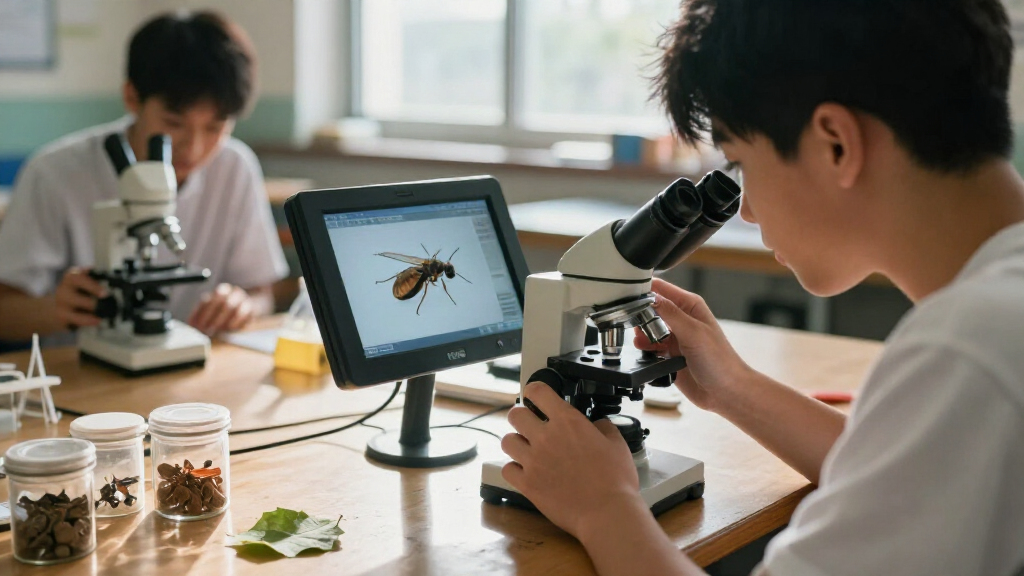
I ranked these five options by how well their listed features support actual student tasks, rather than by maximum magnification alone. A learner looking at pond water or prepared slides needs a different setup from one inspecting coins, leaves, or a circuit board. My first question was whether a student can get a usable view comfortably and keep the sample steady. I then compared how each microscope handles group viewing, image capture, power, portability, accessories, and the practical uncertainties in its specifications.
Screen size and sharing matter in a classroom because students often work in pairs or show a discovery to a teacher. That favors the TOMLOV DM301 Pro and DM9 with their 7-inch displays, although the DM301 Pro has broader stated output options. Smaller screens can be easier to carry, as with PalliPartners and HEWEIMEI, but are less comfortable for several learners to watch at once. I treated the Woehrsh differently: it is a compound microscope with eyepieces and an electronic eyepiece, not simply another large-screen digital scope.
I also weighed the usefulness of capture features. Photo and video recording can support assignments, comparisons, and classroom discussion, but a megapixel claim does not tell the whole story. PalliPartners lists 2.0MP in one description and 10MP in a product highlight, so I do not treat its still-image resolution as settled. Woehrsh does not specify the USB camera resolution or software compatibility. Those unknowns reduce confidence for students who need dependable digital documentation.
Finally, I considered setup and fit. Included slides and accessories can help a beginner start, but a long accessory list is not a substitute for a suitable microscope. Battery runtime matters for lessons away from a desk: PalliPartners lists four to five hours, while DM301 Pro lists up to three. HEWEIMEI’s detachable modes add flexibility, but its battery cannot be removed. The descriptions also warn that PalliPartners is not intended for cell or medical work, and the Woehrsh’s 240 V specification may not match every school’s power supply. My order reflects the balance of these details, not a claim that one model is right for every student.
| digital microscopes for student | Battery |
|---|---|
| TOMLOV DM301 Pro Digital Micro | Up to 3 hours |
| Woehrsh Trinocular Compound Mi | — |
| PalliPartners Digital Microsco | Rechargeable; 4–5 hours stated |
| HEWEIMEI 1600x Digital Microsc | Built-in, non-removable lithium polymer pouch cell |
| TOMLOV DM9 7-Inch Digital Coin | — |
Factors to Consider When Choosing Digital Microscopes For Students
I’d start by matching the microscope to the student’s assignment, not by sorting the options by maximum magnification. A student documenting coins or circuit boards may benefit from a stable stand and adjustable lighting; someone learning about prepared slides may need conventional compound optics and a mechanical stage. The right choice also depends on whether the work happens at a shared classroom table, on the move, or at a single desk.
Screen microscope or compound microscope?
A screen-based model displays a live image directly, which can make it easier for a beginner to focus and for a teacher or classmate to see the same subject. The DM301 Pro and DM9 have 7-inch screens, while PalliPartners and HEWEIMEI use smaller displays. Woehrsh takes a different approach, with eyepieces, a mechanical stage, and compound-microscope controls. That format better matches structured slide work, but it may ask more of a new student and is not as immediately shareable without confirmed camera setup.
Before choosing, identify the objects students will examine. Surface details on a coin, leaf, or circuit board are a natural fit for a screen microscope. If a course calls for prepared slides and fine control over slide position, the Woehrsh configuration is the closest match here. I would not assume that a high digital magnification number makes a screen model equivalent to a compound microscope for every biology activity.
Choose magnification for the task, not the headline
The listed maximum ranges vary from 1000X on PalliPartners to 5000x on Woehrsh, but the highest number is not a reliable shortcut to the best student view. Image clarity depends on the optics, focus, sample, light, and how the image is displayed. A student inspecting surface texture may not need the same setup as one viewing a thin prepared specimen. I’d prioritize a usable focusing method and a stable sample over a maximum specification alone.
The DM301 Pro’s measurement overlay can help students discuss relative size on screen, but buyers should not treat it as a calibrated measuring instrument unless they confirm how it is set up. When assignments require formal measurements or cellular observations, check the teaching requirements and product documentation first. The PalliPartners description specifically says it is not suitable for cell or medical purposes.
Think about who needs to see the image
For individual work, a compact screen may be adequate and easier to transport. For pair work or teacher demonstrations, a larger display is more practical. The 7-inch TOMLOV screens give the DM301 Pro and DM9 an advantage over the 4-inch HEWEIMEI and 4.3-inch PalliPartners display, but the DM301 Pro lists more sharing routes: app support plus USB and HD output. That makes it the stronger choice when a classroom may use a television, computer, or projector.
Check the school’s devices before relying on wireless sharing. The DM301 Pro’s app requires a compatible iOS or Android device, while Woehrsh’s camera description does not specify resolution or software. If school tablets are managed or a computer connection is required, a built-in screen can reduce setup, but it may not replace a true group display.
Treat capture claims and storage as separate questions
Photos and video can turn an observation into a record for a science notebook, presentation, or comparison over time. The DM301 Pro lists 8MP photos and 1080p video; DM9 lists 12MP photos and 1080p video. PalliPartners includes a 32GB microSD card, but its supplied camera resolution conflicts between 2.0MP and 10MP. I would ask the seller to clarify that point if image detail is central to the assignment.
Also check whether storage is included and what connection is needed to move files. DM9 and both TOMLOV listings include memory cards, while the listed PalliPartners package includes a 32GB card. Woehrsh’s USB camera may support digital capture, but its resolution and software compatibility are not stated in the supplied information. A camera feature is less useful to a student if the school cannot access the resulting files.
Compare runtime, charging, and physical flexibility
Battery details affect how well a microscope fits a lesson schedule. PalliPartners lists four to five hours of operation, ahead of the DM301 Pro’s up-to-three-hour figure. HEWEIMEI has a built-in non-removable battery, but the supplied details do not give a runtime. If students will use the unit for a long session or share it between groups, runtime and charging access deserve attention before purchase.
Portability means more than a small screen. PalliPartners is described as portable and includes a metal bracket for hands-free use. HEWEIMEI offers desktop, handheld, and portable modes. DM9’s stand gives stability for small objects but has an 8.5-inch height that may limit what fits beneath it. For a classroom kit that must move between rooms, weigh the stand, case, accessories, and charging arrangement along with the body of the microscope.
Check voltage, age fit, and the included kit
Included slides and tools can make a beginner’s first session easier, but they do not guarantee that a microscope matches a curriculum. DM301 Pro includes prepared and blank slides; HEWEIMEI includes slides and sample-preparation items; Woehrsh supplies a much larger collection of lab accessories. A teacher should select a kit based on planned activities and the ages of the students, rather than assuming that a longer accessories list means a better learning experience.
For Woehrsh, confirm the 240 V listing against the school or home power supply before buying. For younger students, consider the ease of setting up a live view and whether small accessories need adult supervision. The products have different roles: DM301 Pro is a broad screen-based classroom choice, Woehrsh is the conventional lab option, PalliPartners favors portability, HEWEIMEI favors flexible handling, and DM9 favors stationary inspection.
Frequently Asked Questions
Which microscope in this group is the best overall choice for a student?
I’d choose the TOMLOV DM301 Pro for the broadest mix of student-friendly viewing and sharing. Its 7-inch IPS display is easier to share than the smaller screens, and its listed app, USB, and HD output options can suit a home STEM setup or classroom demonstration. It is not the best fit for every task: students seeking traditional compound slide study should compare it with Woehrsh, and classes that need longer battery use should review PalliPartners’ stated runtime.
Are digital microscopes suitable for school science projects?
They can be useful for projects involving close-up viewing, image capture, and showing observations to other students. A screen-based model can help a group see the same image, while saved photos and videos can support a report or comparison. Suitability depends on the assignment, though. Woehrsh is the most conventional compound microscope in this lineup, and PalliPartners is specifically described as unsuitable for cell or medical purposes, so students should follow their teacher’s requirements.
Should I choose the highest magnification listed?
No. A maximum magnification figure does not tell you by itself how clear or useful a student’s view will be. The optics, focus controls, specimen preparation, lighting, and display all affect the result. I’d first choose the microscope type that matches the sample and class activity, then compare the practical controls and screen or eyepiece. A large number on a specification sheet should not be treated as a substitute for checking the intended use.
Which model is easiest to share with a classroom or family?
The TOMLOV DM301 Pro is the clearest fit for group viewing because it has a 7-inch screen and lists wireless app sharing alongside USB and HD output. The DM9 also has a 7-inch screen, but its larger computer view requires a PC or Mac connection according to the supplied details. PalliPartners and HEWEIMEI are more compact, but their smaller screens are less convenient when several people need to watch at once.
What should I verify before buying one of these student microscopes?
Match the microscope to the student’s work, then check the details that could affect the lesson: screen-sharing needs, battery runtime, storage, camera resolution, software support, and power compatibility. The PalliPartners camera is listed as both 2.0MP and 10MP in its supplied information, Woehrsh does not state its USB camera resolution or software compatibility, and its listed 240 V supply may not suit every location. HEWEIMEI’s battery is non-removable, while DM301 Pro lists up to three hours of use.
Conclusion
For most students who want a screen-based microscope that can support group observation and saved project work, I recommend the TOMLOV DM301 Pro. Its large display and range of connection options give it the broadest classroom role in this comparison. If the student’s coursework centers on conventional prepared slides, I’d consider the Woehrsh instead, after confirming its 240 V power requirement and clarifying the USB camera details.
For portable exploration, PalliPartners is the better fit when its stated four-to-five-hour runtime matters more than a large display, but I’d resolve the conflicting camera-resolution claims first. HEWEIMEI suits a younger learner who will use handheld and desktop modes and can work around a non-removable battery. For a student who mainly inspects coins or small electronics at a desk, TOMLOV DM9 offers a stable stand, 7-inch screen, and flexible lighting. Pick by the student’s specimens, lesson length, and viewing setup—not by the largest magnification figure.
Black Friday Picks

Ninja Foodi DualZone Smart XL Air Fryer, 10-Quart, 6-in-1, Black, DZ550
As an affiliate, we earn on qualifying purchases.