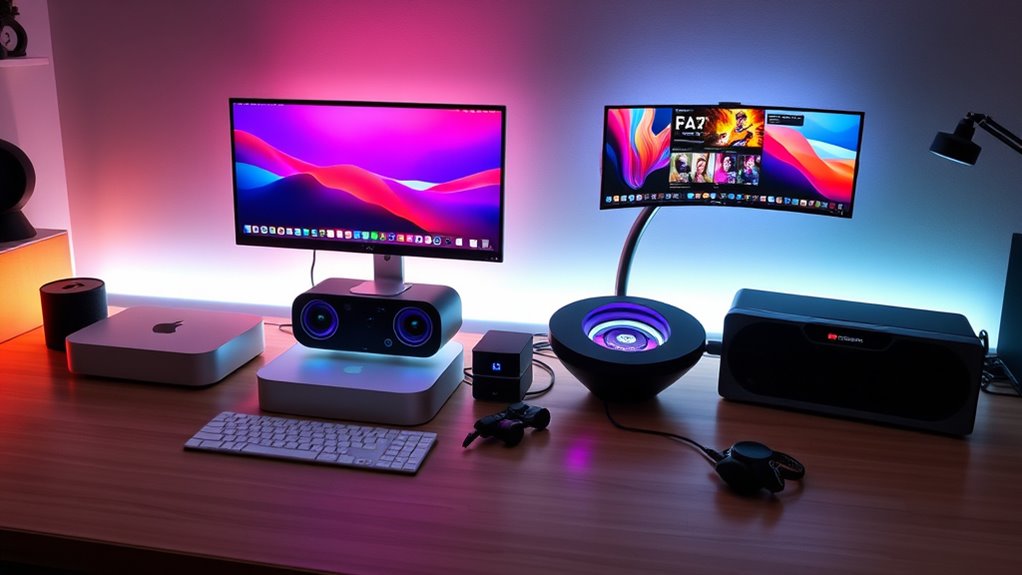

Choosing the right Mac Mini configuration for creative work in 2026 means balancing performance, storage, and expandability. For those who need raw power and high-speed workflows, the ACASIS 40Gbps Mac mini M4 Dock offers impressive dual NVMe SSD support and extensive port options. If you prioritize maximum storage capacity, the Mate Mini-A dock delivers up to 16TB of expandable SSD in a sleek, ultra-fast package. For a versatile all-rounder, the 9-in-1 Mac mini M4 Hub provides crucial ports and a high-speed SSD enclosure, ideal for mid-tier creators. Each has distinct strengths and limitations, making them suitable for different workflows and budgets.

Prime made for students and young adults
- Fast, free delivery for dorm and study essentials
- Prime Video and Amazon Music included
- Member-only deals
Key Takeaways
- The ACASIS Dock excels in high-speed Thunderbolt connectivity and dual SSD bays, perfect for heavy multitasking.
- The Mate Mini-A offers the highest storage expansion, suitable for creators needing massive, fast local storage.
- The 9-in-1 Hub balances connectivity and storage in a compact form, ideal for versatile workspace setups.
- All options require separate SSD purchases; none include built-in storage.
- Compatibility varies, so choosing a dock should align with your specific Mac mini M4 or M6 model and workflow needs.
| ACASIS 40Gbps Mac mini M4 Dock & Stand with Dual-Bay NVMe SSD Enclosure |  | Best for High-Speed, Heavy Multitasking | Hardware Interface: Thunderbolt 4 | Compatible Devices: Mac mini M4, M4 Pro | Total USB Ports: 5 | VIEW ON AMAZON | See Our Full Breakdown |
| Mate Mini-A for Mac mini M4 Dock with 80Gbps Aluminum Alloy Stand and Dual M.2 PCIe SSD Slots (Up to 16TB) |  | Best for Massive Storage and Ultra-Fast Data Transfer | Max Storage: 16TB | SSD Slots: 2 M.2 PCIe | Transfer Speed: 80Gbps | VIEW ON AMAZON | See Our Full Breakdown |
| 9-in-1 Mac mini M4 Hub & Dock with HDMI 4K@60Hz & 4TB M.2 SSD Enclosure |  | Best for Versatile Connectivity and Moderate Expansion | Hardware Interface: HDMI, MicroSD, USB 3.0 | Compatible Devices: Mac Mini (2024 M4/M4 Pro), Mac mini (2026 M6, M5 Pro) | Total USB Ports: 4 | VIEW ON AMAZON | See Our Full Breakdown |
| TobenONE 13-in-1 Mac mini M6, M5, M4 Dock with 8TB NVMe SSD Enclosure |  | Best for Workspace Integration and Expandability | Ports: 5 USB, HDMI, DisplayPort, SD/microSD, 3.5mm audio | Maximum Storage Support: 8TB NVMe SSD | Display Support: 4K@144Hz via DisplayPort, 4K@60Hz via HDMI | VIEW ON AMAZON | See Our Full Breakdown |
| mac mini configurations for creator | Color | Hardware Interface | Compatible Devices | Total USB Ports |
|---|---|---|---|---|
| ACASIS 40Gbps Mac mini M4 Dock | Silver | Thunderbolt 4 | Mac mini M4, M4 Pro | 5 |
| Mate Mini-A for Mac mini M4 Do | Frost Silver | — | — | — |
| 9-in-1 Mac mini M4 Hub & Dock | Mac Mini M4 Hub with HDMI | HDMI, MicroSD, USB 3.0 | Mac Mini (2024 M4/M4 Pro), Mac mini (2026 M6, M5 Pro) | 4 |
| TobenONE 13-in-1 Mac mini M6 | — | — | — | — |
More Details on Our Top Picks
ACASIS 40Gbps Mac mini M4 Dock & Stand with Dual-Bay NVMe SSD Enclosure
The ACASIS Dock stands out for its dual NVMe SSD bays supporting up to 16TB, making it ideal for creators who need rapid access to large files. Its Thunderbolt 4 interface offers blazing 40Gbps transfer speeds, far surpassing typical docks, which translates into smoother workflows when working with large media files. The dual DisplayPort outputs enable dual 4K displays, enhancing multitasking and workspace flexibility. However, this dock’s complexity can be a drawback, as plugging and unplugging SSDs while powered on requires caution, and it may be overkill for users with lighter needs.
Pros:- Supports up to 16TB expandable SSD storage in RAID 0
- Dual DisplayPort outputs for multi-monitor setups
- High-speed Thunderbolt 4 interface with 40Gbps transfer
- Efficient cooling with dual fans and aluminum construction
Cons:- Requires careful handling when plugging/unplugging SSDs while powered
- Potential compatibility issues with non-Mac devices
- Complex setup may be daunting for beginners
Best for: Creators handling large media files, video editing, or 3D rendering who need maximum transfer speeds and storage capacity.
Not ideal for: Casual creators or those with limited external storage requirements, as the setup can be complex and costly.
- Hardware Interface:Thunderbolt 4
- Compatible Devices:Mac mini M4, M4 Pro
- Total USB Ports:5
- Number of Ports:14
- Wattage:65W
- Color:Silver
Our verdict“This dock offers unmatched speed and storage expandability for demanding creative workflows but demands careful handling and setup.”
Mate Mini-A for Mac mini M4 Dock with 80Gbps Aluminum Alloy Stand and Dual M.2 PCIe SSD Slots (Up to 16TB)
The Mate Mini-A makes a compelling case for creators who prioritize extensive storage and rapid data transfer. Equipped with dual M.2 PCIe slots supporting up to 16TB, it’s perfect for those managing large projects locally. Its 80Gbps transfer speed ensures near-instant data movement, ideal for editing 4K or 8K footage directly from external drives. Its slim profile and aluminum design blend well with Mac mini M4 units, but it requires an additional USB 4 cable for non-Apple devices, and the power output is limited to peripherals below 15W. This makes it less suited for power-hungry peripherals or complex setups requiring more power.
Pros:- Supports up to 16TB of SSD storage
- Ultra-fast 80Gbps data transfer speeds
- Multiple ports including USB-C, USB-A, SD4.0, and 2.5G LAN
- Designed specifically for Mac mini M4 with a slim profile
Cons:- Requires USB 4 cable for some configurations
- Limited power output for peripherals
- No support for SATA SSDs or HDDs
Best for: Power users needing maximum local storage and rapid transfer speeds for large media files or project archives.
Not ideal for: Users seeking plug-and-play simplicity or who rely on SATA drives, as it only supports NVMe SSDs.
- Max Storage:16TB
- SSD Slots:2 M.2 PCIe
- Transfer Speed:80Gbps
- Ethernet:2.5G LAN
- SD Card Slot:SD4.0
- Color:Frost Silver
Our verdict“This dock is a premium choice for creators demanding large, fast storage, though setup and power limitations should be considered.”
9-in-1 Mac mini M4 Hub & Dock with HDMI 4K@60Hz & 4TB M.2 SSD Enclosure
The 9-in-1 Mac mini M4 Hub offers a balanced mix of ports and storage support, making it well-suited for creators who need multiple connectivity options without overwhelming complexity. Its 4K HDMI output, USB-A and USB-C ports, and SD card reader provide ample interfaces for cameras, external drives, and peripherals. The integrated M.2 SSD enclosure supports up to 4TB, catering to those with moderate storage needs. Its vertical stand enhances heat dissipation, which benefits prolonged editing sessions. However, the USB-A ports don’t support some legacy peripherals like Apple’s SuperDrive, and the SSD support is limited to NVMe drives without SATA compatibility.
Pros:- Expands connectivity with 9 versatile ports
- Supports external SSDs up to 4TB via M.2 enclosure
- Vertical stand improves heat dissipation
- High-speed data transfer up to 10Gbps
Cons:- USB-A ports don’t support certain legacy drives
- USB-C port lacks video output and charging
- SSD not included and limited to NVMe drives
Best for: Mid-tier creators seeking a flexible hub with sufficient storage and multiple ports for daily creative tasks.
Not ideal for: Power users needing maximum storage or ultra-fast transfer rates, or those with specific legacy peripherals.
- Hardware Interface:HDMI, MicroSD, USB 3.0
- Compatible Devices:Mac Mini (2024 M4/M4 Pro), Mac mini (2026 M6, M5 Pro)
- Total USB Ports:4
- Number of Ports:9
- Item Dimensions:3.6″L x 2.3″W x 5.31″H
- Color:Mac Mini M4 Hub with HDMI
Our verdict“This hub strikes a good balance for creators who want decent connectivity and moderate storage in a compact, organized form, at the expense of maximum capacity.”
TobenONE 13-in-1 Mac mini M6, M5, M4 Dock with 8TB NVMe SSD Enclosure
The TobenONE 13-in-1 dock is especially appealing for creative professionals who want a streamlined workspace. It combines a multiport hub with an integrated NVMe SSD enclosure supporting up to 8TB of local storage. The extensive port lineup includes USB, HDMI, DisplayPort, SD card readers, and audio, making it a comprehensive solution for connecting multiple peripherals and supporting dual 4K displays. Its sleek, premium aluminum design integrates seamlessly with Mac mini setups, though it does not include the SSD, requiring an additional purchase. Its broad compatibility makes it suitable for Mac mini M4, M5, and M6 models but limits use with older Macs or non-Apple devices.
Pros:- Supports up to 8TB NVMe SSD
- Multiple ports including dual 4K display support
- Sleek, integrated design complements Mac mini
- Reliable high-speed data transfer
Cons:- SSD not included, additional purchase needed
- Limited to NVMe SSDs, not SATA drives
- Not compatible with Mac Studio or M1/M2 Macs
Best for: Remote workers and creators seeking an all-in-one dock that combines storage expansion with multiple connectivity options.
Not ideal for: Those needing maximum storage capacity or ultra-fast data transfer, as it caps at 8TB and 10Gbps speed.
- Ports:5 USB, HDMI, DisplayPort, SD/microSD, 3.5mm audio
- Maximum Storage Support:8TB NVMe SSD
- Display Support:4K@144Hz via DisplayPort, 4K@60Hz via HDMI
- Data Transfer Speed:10Gbps
- Compatibility:Mac mini M4, M5, M6, Pro, and Pro models
- Material:Premium aluminum
Our verdict“This dock offers a solid, versatile workspace hub for creative professionals who prioritize integrated connectivity and moderate storage, though it sacrifices maximum capacity and transfer speed.”

How We Picked
Our selection process focused on configurations that enhance creative workflows, emphasizing expandability, speed, and compatibility. We considered the latest Mac mini models from 2024 to 2026, prioritizing docks and hubs that support high-performance SSDs, multiple ports, and seamless integration. We looked at real-world tradeoffs, such as the balance between storage capacity and ease of use, to recommend options that suit different creator profiles—from professionals needing maximum speed to those prioritizing storage and workspace organization.
| mac mini configurations for creator | Hardware Interface | Compatible Devices | Color |
|---|---|---|---|
| ACASIS 40Gbps Mac mini M4 Dock | Thunderbolt 4 | Mac mini M4, M4 Pro | Silver |
| Mate Mini-A for Mac mini M4 Do | — | — | Frost Silver |
| 9-in-1 Mac mini M4 Hub & Dock | HDMI, MicroSD, USB 3.0 | Mac Mini (2024 M4/M4 Pro), Mac mini (2026 M6, M5 Pro) | Mac Mini M4 Hub with HDMI |
| TobenONE 13-in-1 Mac mini M6 | — | — | — |
Factors to Consider When Choosing Mac Mini Configurations For Creators
When selecting a Mac mini configuration for creative work, consider how much storage you need, the type of peripherals you rely on, and whether high-speed data transfer is critical. Your workflow’s complexity and the number of external devices influence whether a simple hub or a high-capacity dock makes sense. Compatibility with your specific Mac mini model and the physical workspace setup are also essential factors. The goal is to find a balance between power, expandability, and ease of use, ensuring your setup supports demanding creative tasks without overwhelming your desk or budget.
Performance and Speed
For creators working with large files or 4K/8K video editing, high transfer rates are non-negotiable. Thunderbolt 4 docks like the ACASIS offer the fastest speeds, but they require careful handling and can be more complex to set up. If speed is less critical but you still need reliable external storage, NVMe-based docks like the Mate Mini-A deliver excellent transfer rates without the complexity of RAID configurations. Always match your choice with your workflow’s data throughput demands.
Storage Needs
Massive local storage is vital for video editors or 3D artists working with large files. The Mate Mini-A’s dual M.2 slots supporting up to 16TB make it the best option here. However, if you prefer external drives, a dock with a robust SSD enclosure, like the TobenONE, provides a sleek integrated solution. Remember, none of these docks include SSDs, so plan your purchase accordingly based on your storage size and performance expectations.
Connectivity and Compatibility
Consider the peripherals you need—cameras, external monitors, audio interfaces, or card readers—and check each dock’s port lineup. The 9-in-1 hub provides a good mix for general use, while the ACASIS and Mate Mini-A focus more on high-speed data transfer and storage expansion. Compatibility with your specific Mac mini model is essential; some docks are optimized for M4, M5, or M6 versions, and certain ports may not support legacy peripherals.
Design and Workspace Integration
Physical setup matters. Sleek, integrated docks like TobenONE blend seamlessly into a modern workspace, while vertical stands improve heat dissipation for prolonged use. Size and ease of access influence daily workflow—compact solutions save desk space but may limit expandability. Choose a design that complements your workspace aesthetic and ergonomic needs.
Frequently Asked Questions
Do these docks support SATA SSDs?
Most of the docks reviewed, including the ACASIS and TobenONE, support only NVMe SSDs due to their M.2 PCIe slots. This means if you rely on SATA drives, these options won’t be compatible, and you’ll need to look for alternative solutions that support SATA interfaces.Can I connect multiple 4K displays with these docks?
Yes, several of these docks, like the TobenONE and ACASIS, support dual 4K display output via DisplayPort and HDMI, making them suitable for multi-monitor setups essential for creative workflows. However, check the specifications for your specific Mac mini model to confirm compatibility.Are SSDs included with these docks?
No, all listed docks require you to purchase your own SSDs separately. This allows customization based on your storage needs but adds an additional step and cost to your setup.Is Thunderbolt 4 necessary for high-speed data transfer?
Thunderbolt 4 provides the highest transfer speeds and bandwidth, making it ideal for demanding tasks like editing large media files. While USB-C docks can be sufficient for less intensive work, Thunderbolt docks like the ACASIS offer superior performance for intensive creative workflows.Will these docks work with older Mac mini models?
Most of these docks are designed for Mac mini M4, M5, and M6 models and require specific ports like Thunderbolt 4 or USB 4. Older Mac minis with different ports or chipsets might not be fully compatible, so verifying compatibility before purchase is essential.Conclusion
For professional creators with demanding workflows and large storage needs, the ACASIS dock offers unrivaled speed and expandability. Those looking for maximum local storage capacity should consider the Mate Mini-A, especially if working with massive media files. Mid-tier creators or those who need a versatile, space-saving setup might find the 9-in-1 hub ideal. Casual users or those on tighter budgets should prioritize simpler, less expensive options that meet basic connectivity requirements. Selecting the right dock hinges on balancing your specific workflow, storage demands, and workspace constraints.