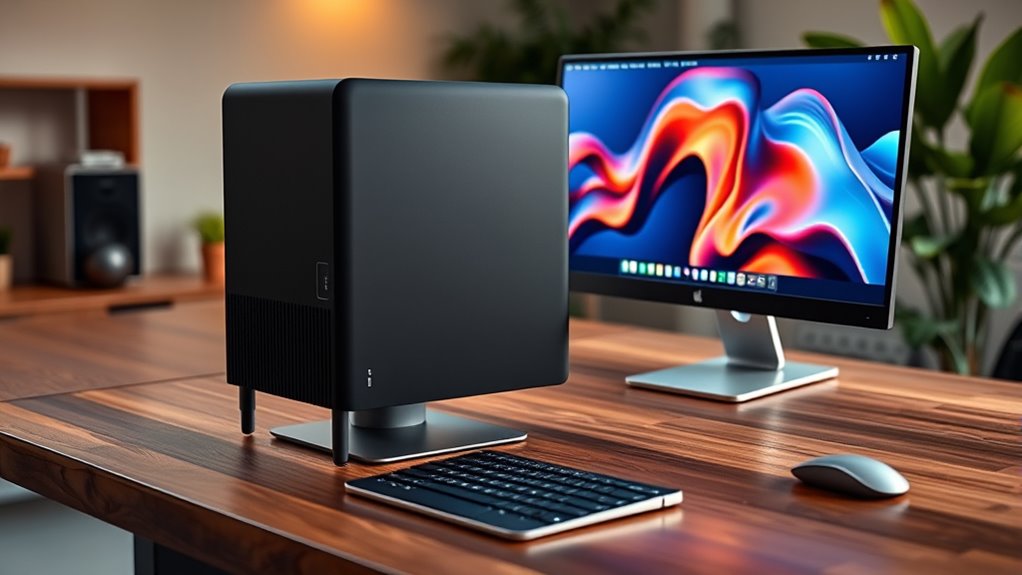

Choosing a renewed Mac Studio desktop in 2026 means balancing raw power, price, and your specific workflow needs. For top-tier performance, the Apple Mac Studio M3 Ultra stands out with its 28-core CPU and 60-core GPU, ideal for demanding tasks like 3D rendering or multi-monitor setups. If you need a more compact yet powerful machine, the Mac Studio with M5 Max chip offers high performance in a smaller footprint, perfect for creative professionals on the go. For a more budget-conscious but still capable option, the renewed M1 Max models provide excellent power for less, though they lack the latest chips and some expandability. Each choice involves tradeoffs between cost, performance, and future-proofing, making it essential to match the machine to your specific work and budget.

Prime made for students and young adults
- Fast, free delivery for dorm and study essentials
- Prime Video and Amazon Music included
- Member-only deals
Key Takeaways
- The Mac Studio M3 Ultra offers unmatched power for professional workloads but comes at a high cost.
- The M5 Max version balances performance with a compact design, ideal for space-conscious workflows.
- Renewed M1 Max models deliver strong performance at a more accessible price point, though they lack the latest features.
- Connectivity and expandability vary across models, influencing future upgrade options.
- Buyer priorities should focus on performance needs versus budget constraints when choosing a renewed Mac Studio.


| renewed mac studio desktop | Storage | Memory | Processor |
|---|---|---|---|
| Apple Mac Studio M3 Ultra with | 2TB SSD | 256GB Unified Memory | — |
| Apple Mac Studio Desktop Compu | up to 614GB/s bandwidth | up to 128GB | M5 Max chip |
| Apple Mac Studio with M2 Max C | 512 GB SSD | — | Apple M2 Max |
| Apple 2022 Mac Studio with M1 | 512GB SSD | 32GB RAM | Apple M1 Max Chip |
| 2022 Apple Mac Studio with M1 | 1TB SSD | — | — |
More Details on Our Top Picks
Apple Mac Studio M3 Ultra with 28-Core CPU, 60-Core GPU, 256GB Storage
This Mac Studio stands out for its extreme processing power thanks to the M3 Ultra chip, making it the top choice for the most demanding workflows like 8K video editing and complex 3D modeling. Its support for multiple high-resolution displays and extensive connectivity, including Thunderbolt 5 and HDMI 2.1, ensures it can handle professional environments seamlessly. Compared with the M5 Max version, this model offers superior raw performance but at a significantly higher price point. Its main tradeoff is the cost, which could be prohibitive for those who do not need such power. The limited information on upgradeability might also concern some users planning future expansions.
Pros:- Unmatched processing power for demanding tasks
- Supports multiple 8K displays simultaneously
- Extensive connectivity options for professional setups
Cons:- High cost may deter budget-conscious buyers
- Limited upgrade options
- Overkill for casual or moderate users
Best for: Professional content creators and 3D artists needing maximum performance
Not ideal for: Casual users or those on a tight budget
- CPU:28-Core
- GPU:60-Core
- Memory:256GB Unified Memory
- Storage:2TB SSD
- Display Support:Up to 8K resolution
- Connectivity:Thunderbolt 5, USB 3, HDMI 2.1, 10Gb Ethernet
Our verdict“This model is best suited for professionals who require the utmost performance and are willing to pay a premium.”
Apple Mac Studio Desktop Computer with M5 Max Chip
This Mac Studio with the M5 Max chip offers an impressive combination of power and size, making it suitable for professional workflows that demand high performance with minimal desk space. Its ability to support large datasets with up to 128GB RAM and fast storage, along with extensive ports including Thunderbolt 5, makes it ideal for creative professionals who also work with AI or machine learning. Compared to the M3 Ultra, this model isn’t quite as powerful but compensates with its smaller footprint and quieter operation. The main consideration is its premium price, which might be steep for casual users, and the limited information on expandability.
Pros:- High-performance chip for demanding workflows
- Compact, space-saving design
- Excellent connectivity including Thunderbolt 5
Cons:- Premium price may be a barrier
- Limited upgradeability
- No included peripherals or display info
Best for: Creative professionals needing a compact yet powerful machine
Not ideal for: Users requiring extensive upgrade options or affordability
- Processor:M5 Max chip
- Memory:up to 128GB
- Storage:up to 614GB/s bandwidth
- Ports:4 Thunderbolt 5, USB-C, USB-A, HDMI
- Wireless:Wi-Fi 7, Bluetooth 6
- Dimensions:7.76 x 7.76 x 3.74 inches
Our verdict“This pick is perfect for professionals who prioritize performance in a small form factor and are willing to invest accordingly.”
Apple Mac Studio with M2 Max Chip, 12-core CPU, 30-core GPU, 512GB SSD
This Mac Studio features the M2 Max chip, offering a solid performance boost over previous models. Its 12-core CPU and 30-core GPU provide excellent power for video editing, 3D rendering, and multitasking. The 32GB of RAM ensures smooth operation with large files, and the 512GB SSD offers quick data access. Compared to the M3 Ultra and M5 Max, this model is somewhat less powerful but still performs well for most professional uses. Its heavier weight and limited storage capacity might limit portability and storage flexibility, respectively. It is best suited for users who need professional-grade performance but don’t require the latest chip.
Pros:- Strong M2 Max performance for demanding tasks
- Large 32GB RAM ideal for multitasking
- Fast 512GB SSD
Cons:- Heavy at 11.75 pounds
- Limited storage for some workflows
- No included peripherals specified
Best for: Video editors and creative professionals on a budget
Not ideal for: Power users needing the latest chip or maximum expandability
- Processor:Apple M2 Max
- CPU Speed:3.4 GHz
- RAM:32 GB
- Graphics:Dedicated 30-core GPU
- Storage:512 GB SSD
- Weight:11.75 pounds
Our verdict“A well-rounded, powerful choice for professionals seeking a balance of performance and value.”
Apple 2022 Mac Studio with M1 Max Chip, 10-Core CPU, 32GB RAM, 512GB SSD (Renewed)
This renewed Mac Studio offers a solid performance with the M1 Max chip, a 10-core CPU and 32GB RAM, perfect for those who want professional power without paying full price. It supports demanding tasks like video editing and multitasking, with a 512GB SSD for quick data access. The product has undergone professional inspection, with no visible cosmetic issues and a battery capacity exceeding 80%. However, being a renewed unit, it may arrive in generic packaging, and accessories might not be original. This model is best for users who prioritize performance but are comfortable with the uncertainties of a refurbished product.
Pros:- Powerful M1 Max chip with 10-core CPU
- Large 32GB RAM for multitasking
- Fast 512GB SSD
Cons:- Refurbished condition may vary
- Accessories may not be original
- Limited to older chip technology
Best for: Budget-conscious professionals and prosumers
Not ideal for: Those requiring the latest chips or full upgradeability
- Operating System:macOS High Sierra
- Processor:Apple M1 Max Chip
- CPU:10-Core
- Memory:32GB RAM
- Storage:512GB SSD
- Battery Capacity:Over 80%
Our verdict“A compelling choice for users seeking high performance at a lower price point, provided they accept the refurbished nature.”
2022 Apple Mac Studio with M1 Max Chip, 10-Core CPU, 24-Core GPU, 32GB RAM, 1TB SSD, Silver (Renewed)
This renewed Mac Studio combines the M1 Max chip with a 10-core CPU and 24-core GPU, offering a good balance of processing power and graphics. Its 1TB SSD provides ample space for large projects, making it suitable for creative workflows that require substantial storage. The product’s condition has been inspected, with no visible imperfections when viewed from a distance, and accessories are compatible and functional. However, as a refurbished unit, it may have minor cosmetic imperfections, and accessories are not original. It’s a smart pick for users who need significant storage without the cost of the latest chips.
Pros:- Powerful M1 Max chip with high-performance CPU and GPU
- Large 1TB SSD for storage-intensive tasks
- Refurbished but inspected for quality
Cons:- Potential cosmetic imperfections
- Accessories may not be original
- Not the newest chip technology
Best for: Creative professionals needing ample storage and performance
Not ideal for: Power users requiring the latest chip or maximum GPU cores
- Chip:Apple M1 Max
- CPU Cores:10-Core
- GPU Cores:24-Core
- RAM:32GB
- Storage:1TB SSD
- Color:Silver
Our verdict“A versatile, storage-rich option suitable for demanding creative workflows on a budget.”

How We Picked
Our selection process focused on a combination of performance, value, and condition for renewed products. We prioritized models with the latest chips to future-proof investments, but also included older, well-tested options for budget-conscious buyers. Each product was evaluated based on specifications, user reviews, and the clarity of the renewal process, ensuring they meet professional standards while offering savings over new units. We aimed to highlight options suited for different user types — from demanding creatives to casual prosumers — and balanced each with realistic tradeoffs like potential cosmetic imperfections or upgrade limitations.
| renewed mac studio desktop | Processor |
|---|---|
| Apple Mac Studio M3 Ultra with | — |
| Apple Mac Studio Desktop Compu | M5 Max chip |
| Apple Mac Studio with M2 Max C | Apple M2 Max |
| Apple 2022 Mac Studio with M1 | Apple M1 Max Chip |
| 2022 Apple Mac Studio with M1 | — |
Factors to Consider When Choosing Renewed Mac Studio Desktops
When selecting a renewed Mac Studio desktop, your primary considerations should include performance requirements, budget constraints, and future upgrade potential. The latest chips like the M3 Ultra and M5 Max deliver unparalleled power but come at higher prices, making them best suited for demanding professionals. Older models such as the M1 Max, while less powerful, still handle most creative tasks and offer significant savings. Connectivity options, storage capacity, and physical size are also important factors depending on your workspace and peripheral needs. Balancing these elements ensures you choose a Mac Studio that meets your current needs while offering room to grow.
Performance and Chip Technology
The core of your decision revolves around the processor. The M3 Ultra provides the highest level of performance, ideal for heavy-duty workloads, but may be overkill for casual or moderate use. The M5 Max balances performance with size and power efficiency, fitting well into smaller spaces or quieter environments. The M2 Max and older M1 Max chips still deliver excellent performance for most professional tasks but may lack the latest features and efficiency improvements. Your choice should align with your workload intensity and future-proofing goals.
Price and Condition
Newer, high-end models like the M3 Ultra come at a premium, often making them less accessible for casual users. Renewed or older models such as the M1 Max options offer considerable savings but might come with cosmetic imperfections or limited upgrade options. Carefully assess the condition reports and warranty options, especially for refurbished units, to ensure reliability and longevity. Remember, a higher initial investment in a newer model can reduce the need for future upgrades or replacements.
Connectivity and Expandability
Extensive port options like Thunderbolt 5 or HDMI are vital if you work with multiple peripherals or high-resolution displays. The newer models generally support more advanced connectivity standards, providing better future compatibility. Consider your current setup and whether you anticipate expanding your workspace, as some older or refurbished units might have limited ports or less support for future peripherals.
Frequently Asked Questions
Are renewed Mac Studio desktops reliable?
Renewed Mac Studio desktops that have been professionally inspected and tested typically offer reliable performance comparable to new units. Many refurbishers include warranties or guarantees, which help mitigate risks associated with cosmetic imperfections or minor defects. While they may lack the full packaging or accessories of new products, their core components are generally in excellent condition, making them a good value for budget-conscious buyers.
How do I know if a renewed Mac Studio is worth it?
Assess whether the savings outweigh potential drawbacks like cosmetic imperfections or limited upgradeability. Check the condition reports and warranty options, and compare the specs to new models to ensure you’re getting the performance level you need. If a renewed unit passes quality checks and is priced significantly lower than a new one, it can be a smart purchase for demanding workflows without paying full retail.
Can I upgrade a renewed Mac Studio?
Most Mac Studios, whether renewed or new, have limited upgrade options, especially regarding RAM and storage. Apple’s design generally restricts internal upgrades, so it’s critical to select a model with sufficient RAM and storage at the outset. For most users, external peripherals and accessories provide the flexibility needed to expand functionality without opening the device.
What performance differences exist between the latest and older Mac Studio models?
The latest models like the M3 Ultra and M5 Max chips offer significant improvements in processing speed, energy efficiency, and graphics performance compared to older M1 Max models. These enhancements translate into faster rendering, smoother multitasking, and better support for demanding creative applications. However, for many professional workflows, the older chips still provide ample power, and the decision often hinges on budget and how future-proof you want your setup to be.
Are accessories included with renewed Mac Studios?
Typically, renewed Mac Studios do not come with original accessories or peripherals, and some may arrive with generic or third-party items. It’s important to verify what’s included before purchasing and consider the cost of any additional peripherals needed. While the core machine is inspected and tested, external accessories like keyboards, mice, or displays usually need to be purchased separately.
Conclusion
For buyers needing the highest performance and future-proofing, the Mac Studio M3 Ultra is the clear choice, despite its cost. Creative professionals who value a compact design but require serious power will find the M5 Max version appealing, especially if space is limited. Budget-conscious users or those comfortable with refurbished products should consider the M1 Max options, which still deliver strong performance at a lower price. Ultimately, your decision should reflect your workload demands, budget, and preference for the latest features versus value.